
This feature in OpenSpecimen lets you organize queries into folders based on specific studies or projects, making them easier to manage and locate.
A folder can be used for two reasons:
- Logically organize queries (e.g., admin queries, billing queries, etc.)
- Share queries with other users
This organization enhances collaboration among team members by allowing you to share these folders with relevant users or groups, so everyone involved in a specific study can access the necessary queries efficiently.
It also reduces the need to train all end users in query building. Project admins can create and share ready-to-use queries, simplifying daily tasks for study owners and improving overall efficiency.
Steps to assign queries to a folder,
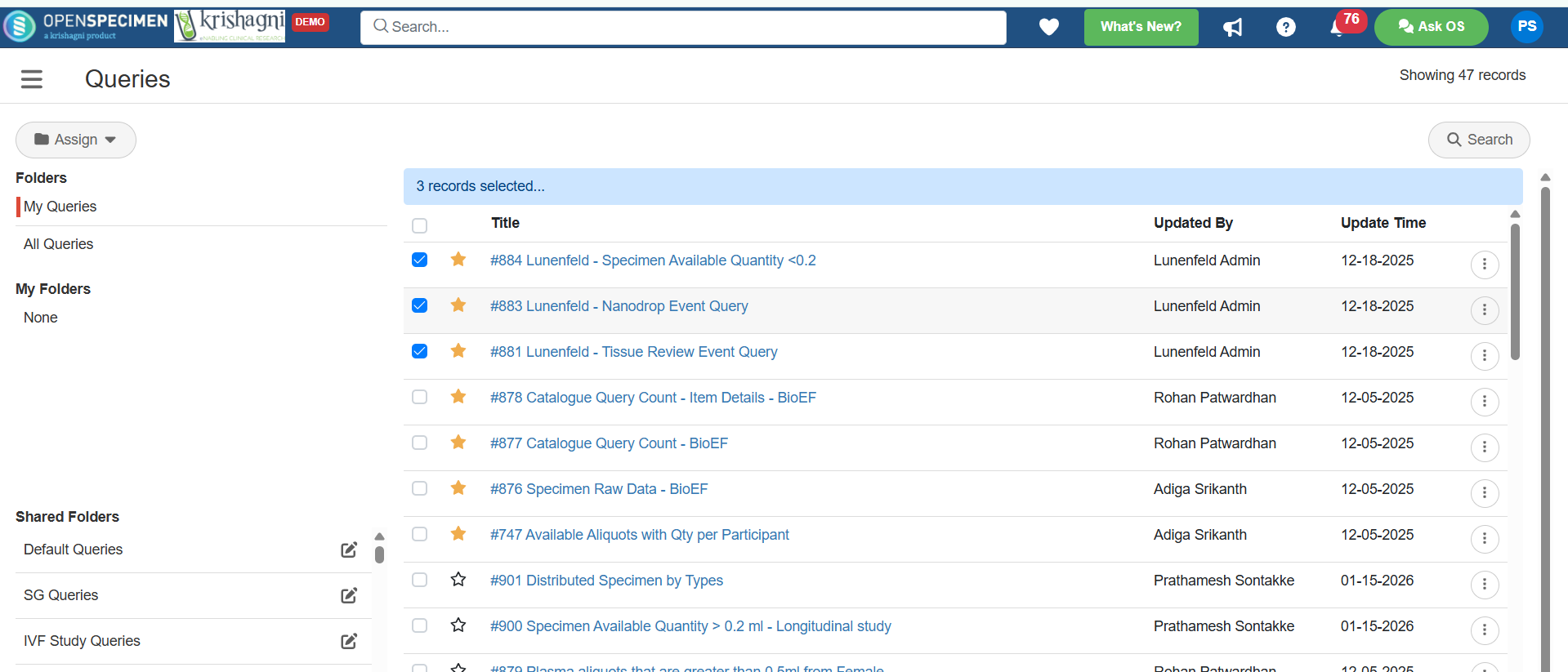
Step 01: Select one or more queries
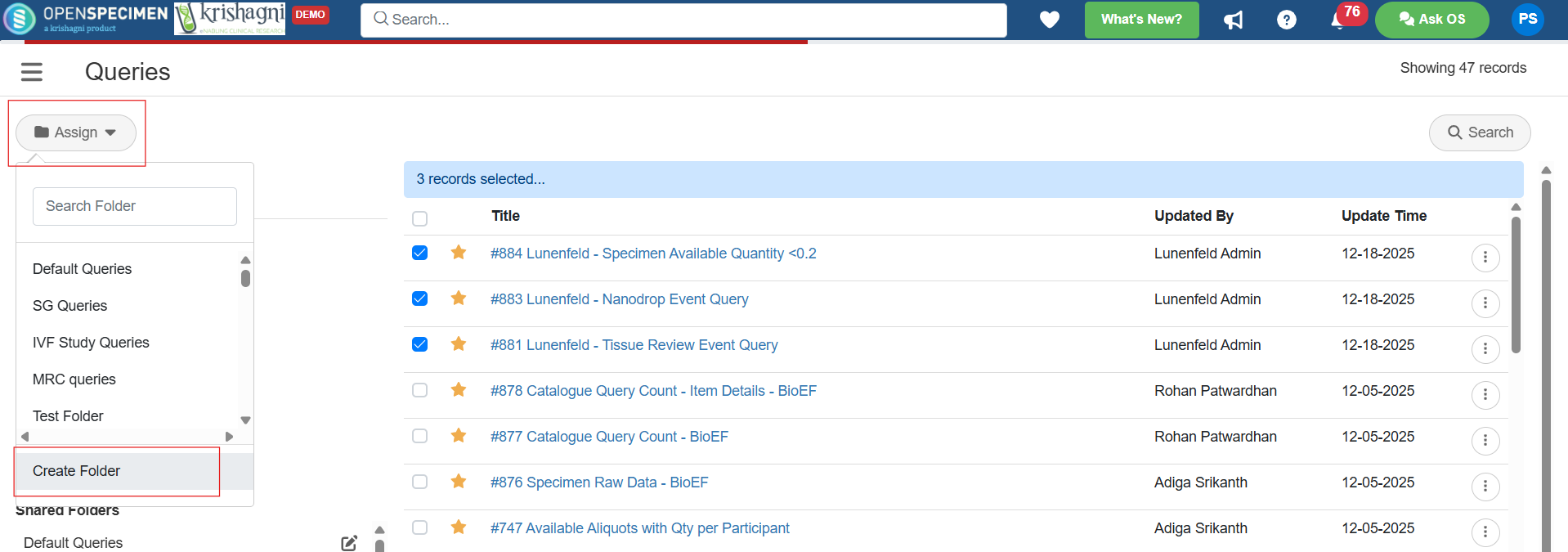
Step 02: Now, click on Assign, then on Create Folder
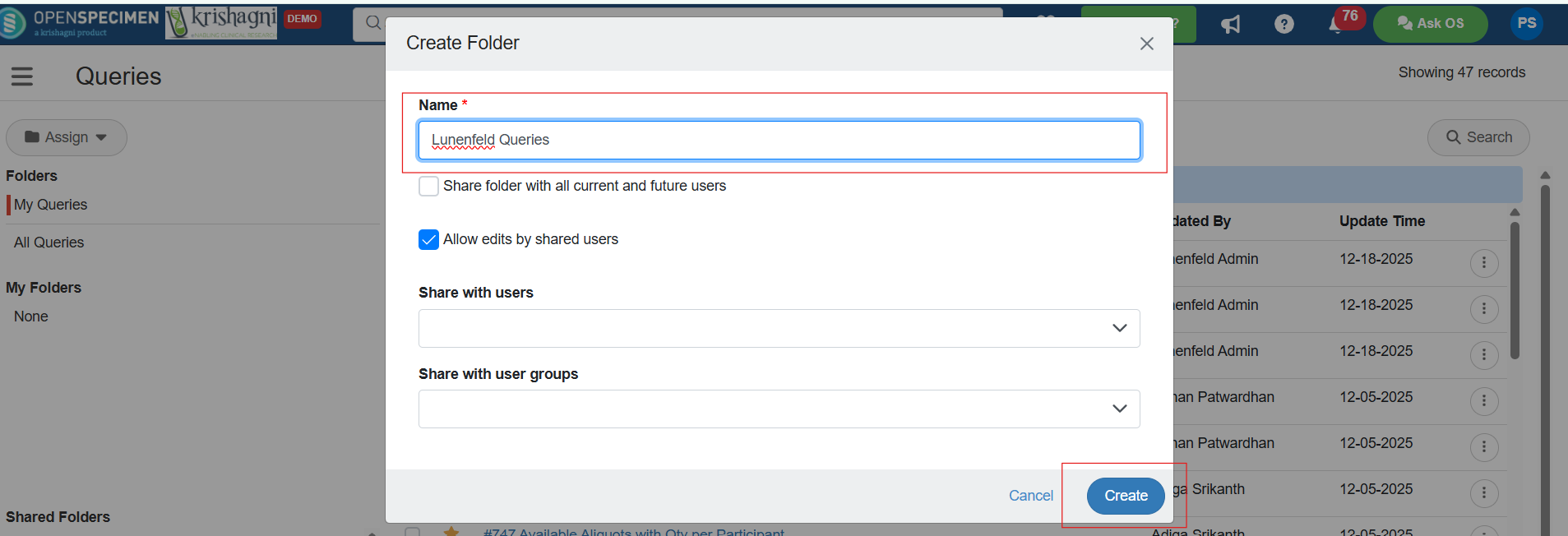
Step 03: Enter the folder name, and then click on Create Option.
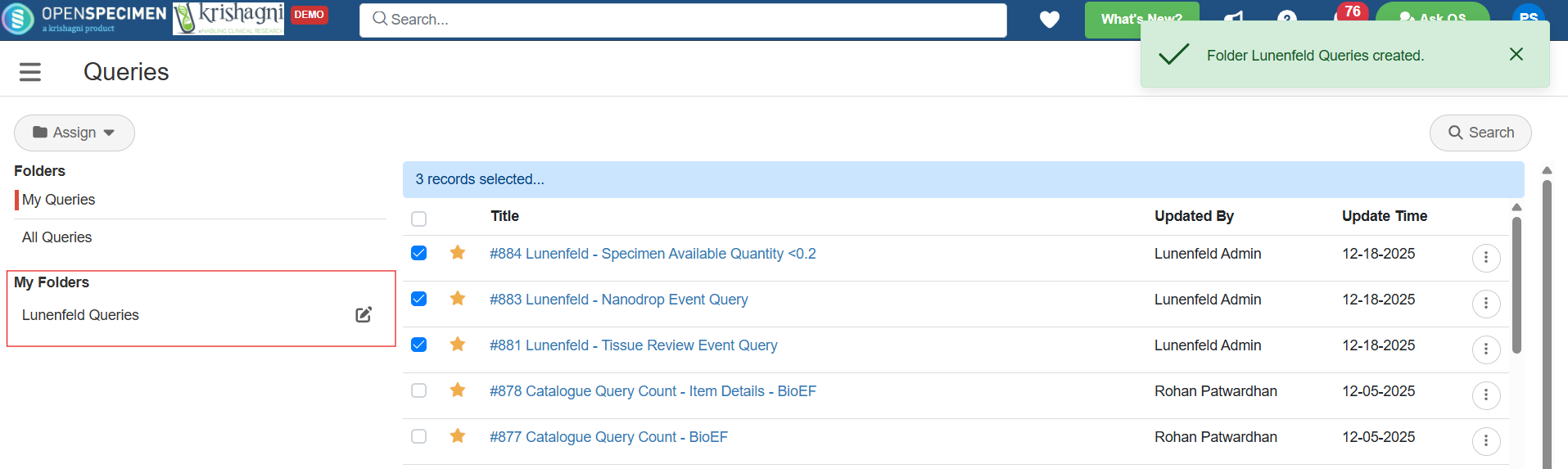
Step 04: The folder will now be visible under My Folder.
Reference: Share Queries